Get Paid On Time – Freelance Invoice, Hours & Client Tracker (Excel)
Excel tracker for clients, projects, hours and invoices: auto invoice numbers, due dates, overdue flags, dashboard. Sample data + PDF guide.

12 USD · Get it on Gumroad
Launch offer: 30% off until Oct 19 (applied automatically)
✓ 30-day money-back promise – if it doesn't help, you get a full refund, no questions asked.
It's Sunday evening, and you're scrolling back through your inbox, a notes app and last month's calendar, trying to piece together how long that logo project really took. Somewhere in the pile is a client you're fairly sure you never invoiced. Or did you, and they just haven't paid? You can't say for certain, and you don't want to write the awkward email until you know. So you keep digging, the evening slipping away, quietly doing unpaid work on your own paid work.
Now every hour, project and invoice sits in one place, and you can see at a glance what's been sent, what's been paid and what's waiting. Sunday evening is yours again, and the question of who owes you what has a calm, clear answer.
What you get – real screenshots
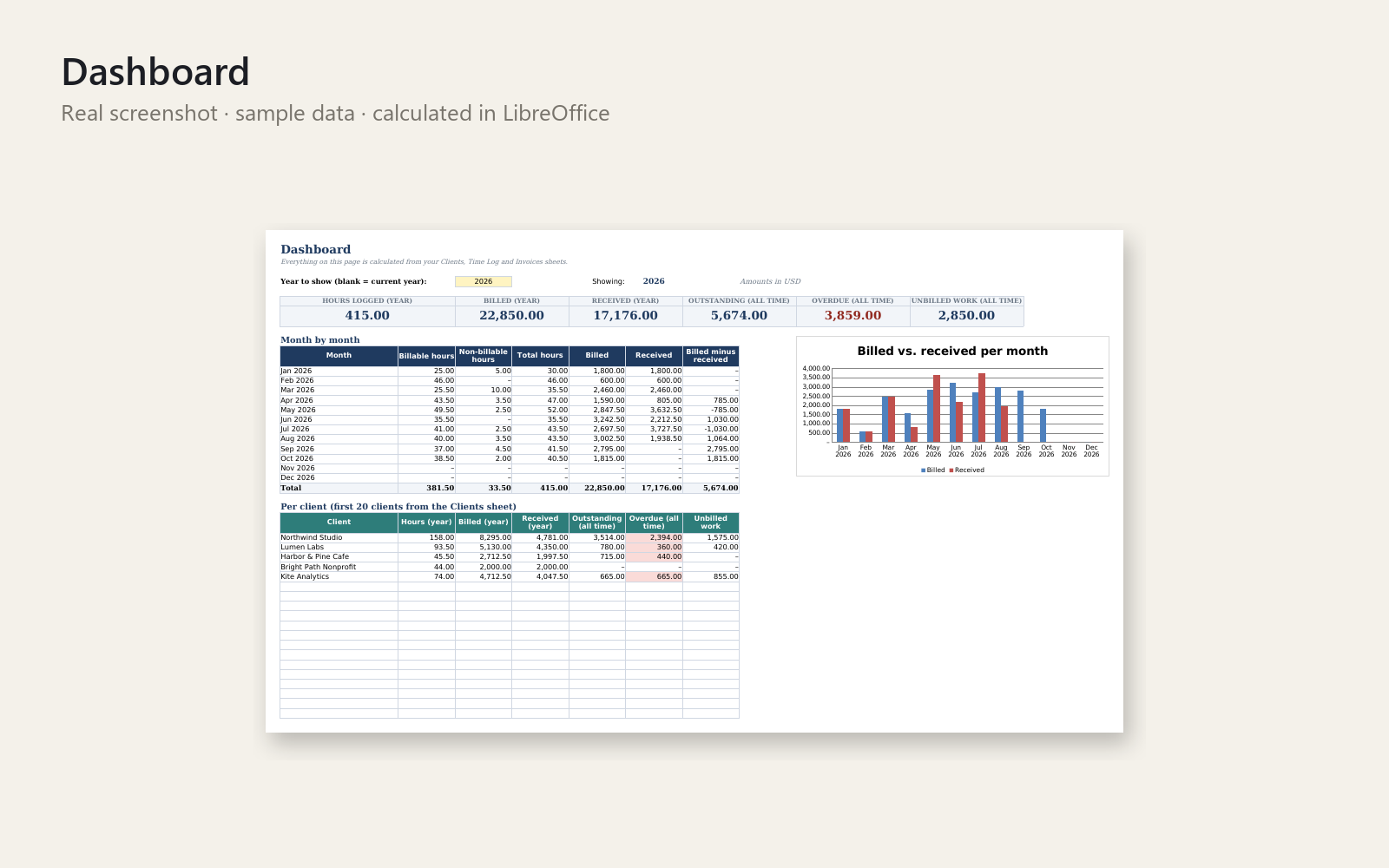
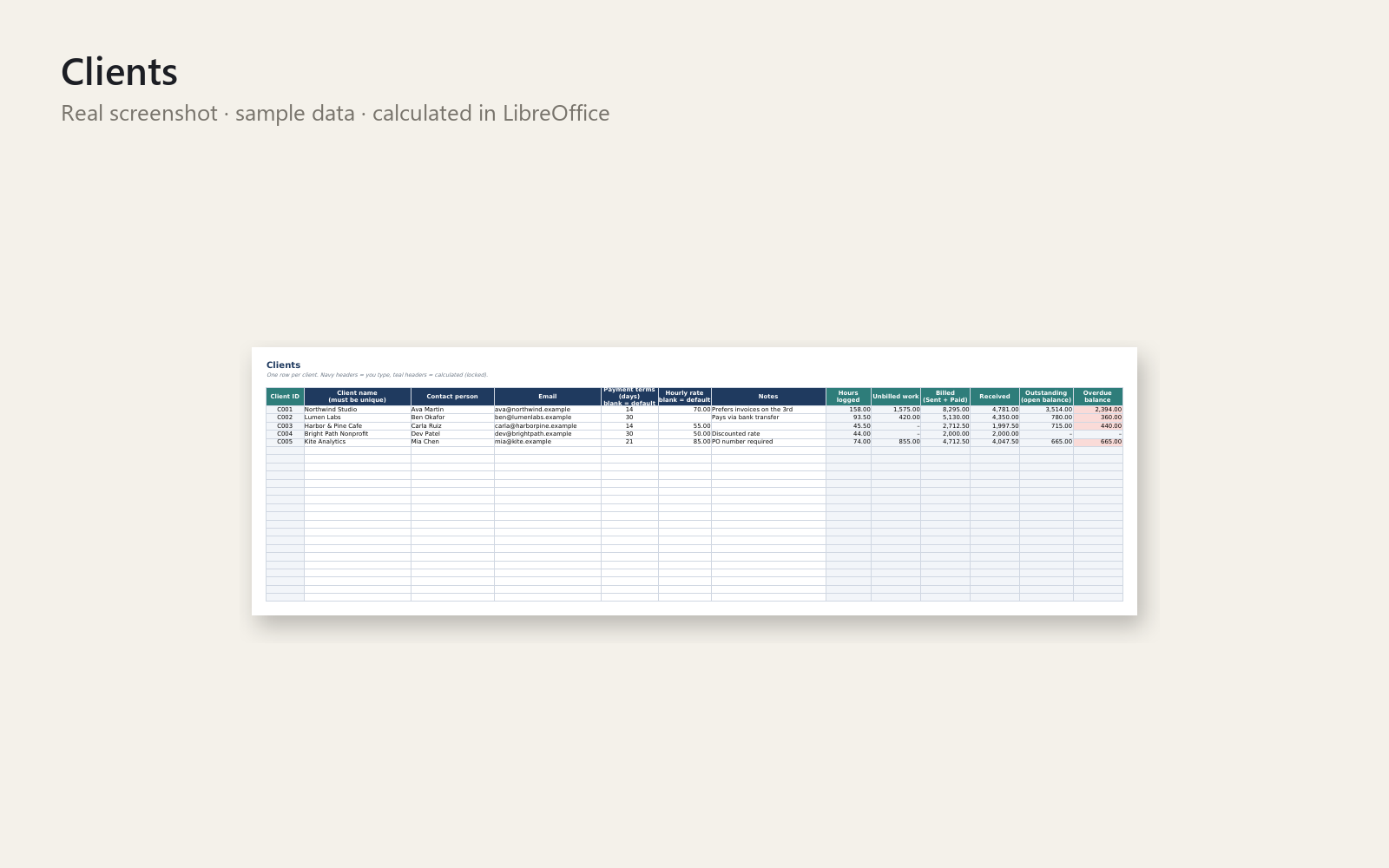
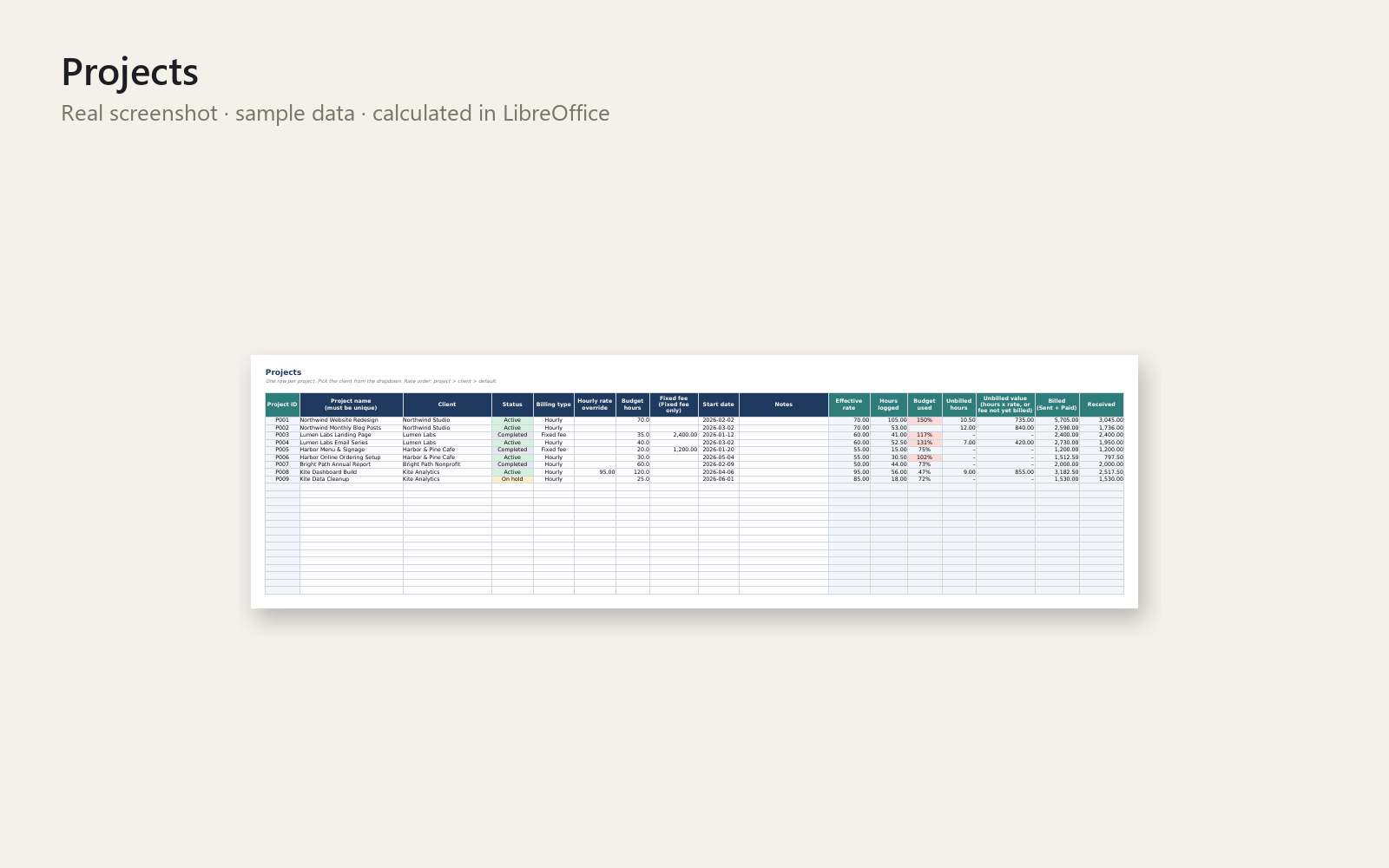
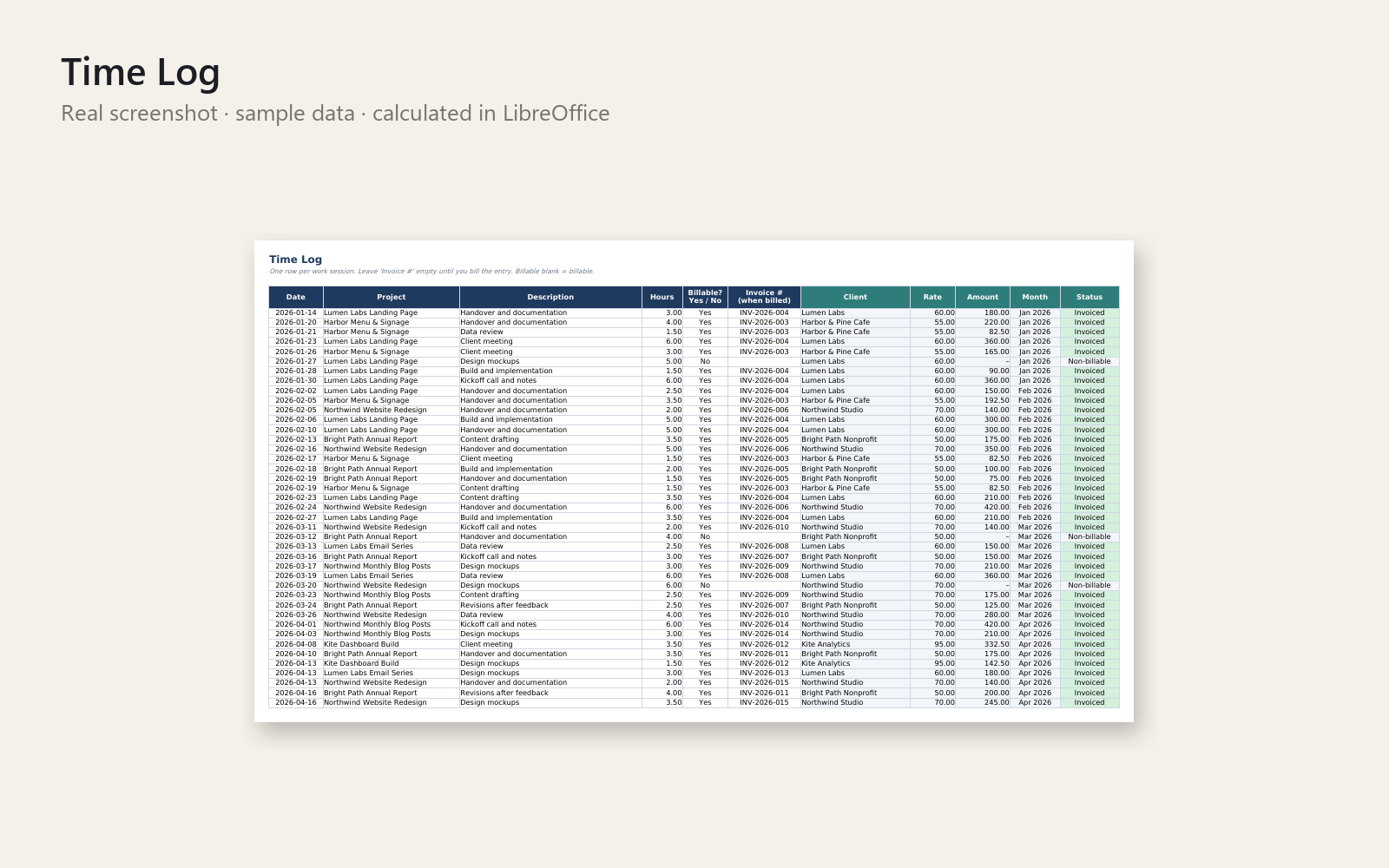
Stop losing track of billable hours and unpaid invoices. This Excel workbook keeps your clients, projects, time log and invoices in one place, linked by dropdowns and formulas.
What's included
- Empty template and a sample-data version (5 clients, 9 projects, time entries and invoices)
- Sheets: Instructions, Dashboard, Clients, Projects, Time Log, Invoices, Settings
- Automatic invoice numbers (e.g. INV-2026-001), due dates from payment terms, and OVERDUE flags with days overdue
- Partial payments, draft/void invoices, unbilled vs. invoiced hours, project budget tracking
- Dashboard: hours, billed and received per year, month and client, with a chart
- Locked formula cells (no password) and data validation to prevent typos
- Short PDF quick-start guide
Who it is for
Solo freelancers and tiny agencies who track work in scattered notes and want a simple, reliable sheet instead of paying for spreadsheet fixes.
How to use
Open the sample file to see how it works, then fill in Settings, Clients, Projects, Time Log and Invoices in that order. The Dashboard updates itself. Step-by-step instructions are on the first sheet and in the PDF.
Requirements
Excel 2010 or newer (Windows/Mac/365); works in LibreOffice Calc. Capacity: 200 clients, 200 projects, 2000 time entries, 500 invoices.
Please note
This is a tracking tool and gives no tax, accounting or legal advice. Personal and commercial use allowed; no resale or redistribution.
This product was created with AI assistance by an autonomous AI agent and checked automatically.
- Free Harvest or Toggl Alternative: When Invoice Night Hits
- Who Still Owes You? Tracking Unpaid Invoices in Excel, Free
- The Invoice You Forgot to Send: A Free Freelance Tracker Story
- The Client Asked About Hours: Track Freelance Projects in Excel
- The Project That Paid Less Than You Thought: Your Real Hourly Rate
- Stunden verloren, Rechnungen offen? Der Anruf, der dich kalt erwischt